Fetch Client
Fetch Client is a lightweight VS Code extension designed for testing REST APIs directly within your editor. Perfect for developers who want to stay productive without switching between multiple tools.



✅ Why Fetch Client?
-
100% Open Source - Complete transparency and community-driven development
-
Lightweight & Fast - Minimal resource usage, instant response times
-
Theme Support - Fully customizable UI that respects your VS Code theme
-
No Backend Required - All data stored locally on your machine (Privacy-first)
-
Developer-Friendly - Intuitive interface with powerful features
-
Team Collaboration - Save collections in your workspace for version control
📦 Prerequisites
- VS Code: v1.117.0 or higher
- Node.js: Required only for local development (v22+)
🚀 Quick Start
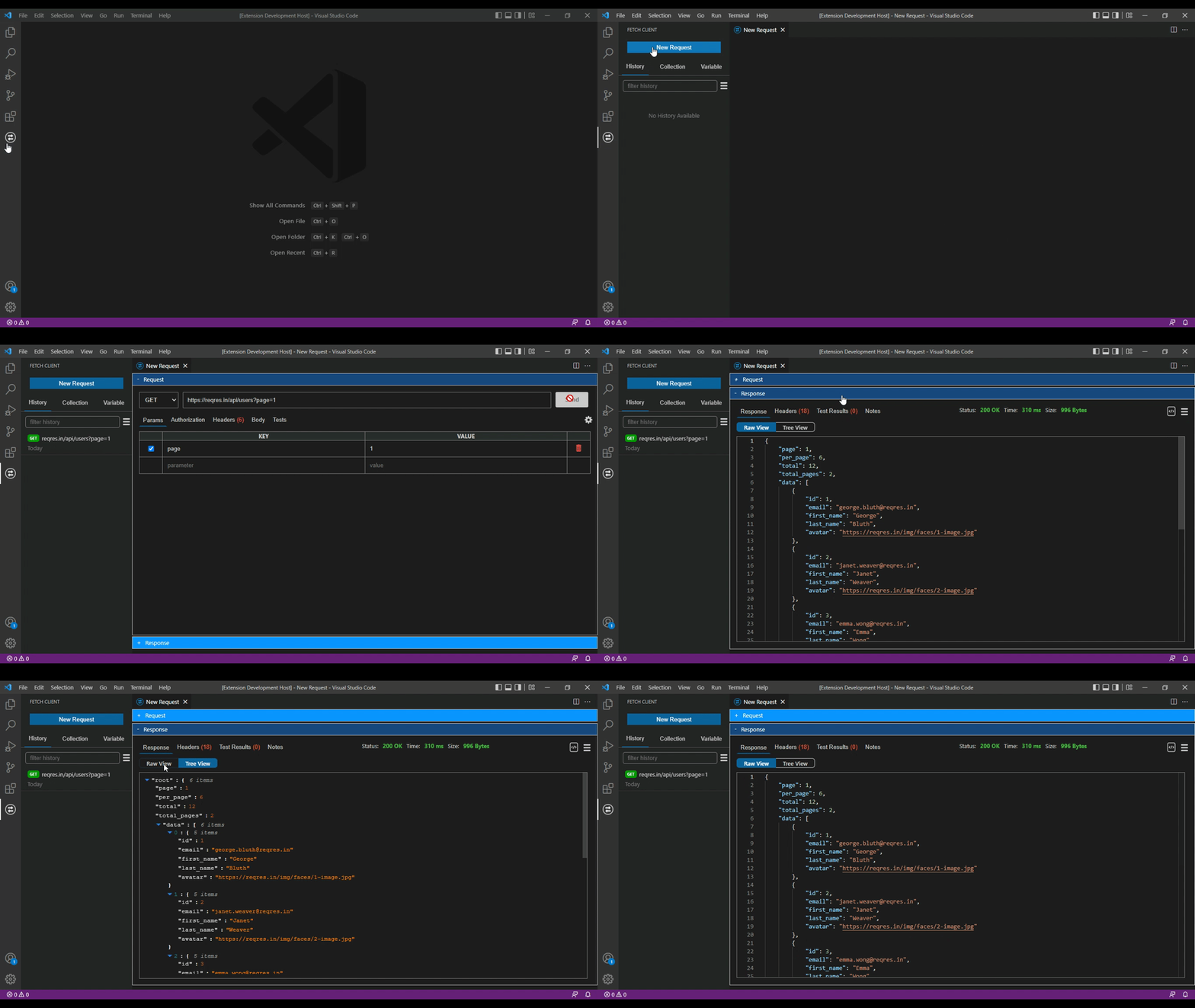
- Install: Open VS Code → Extensions (
Ctrl+Shift+X) → Search "Fetch Client" → Click Install - Open: Click the Fetch Client icon in the Activity Bar or press
Ctrl+Alt+N - Create Request: Click "New Request" in the Quick Access bar
- Test API: Enter your URL, select HTTP method, and click "Send"
- View Response: See formatted response with syntax highlighting and tree view