🚀 Getting Started
✅ Before You Begin
Make sure you have:
- Installed Fetch Client CLI
- Installed the Fetch Client VS Code extension
- Created at least one collection with a request
If you haven't installed the CLI yet, see the Installation guide.
⚙️ How Fetch Client CLI Works
Many API CLI tools make you import collections into a separate workspace. Fetch Client CLI skips that step - it reads directly from the same database as the Fetch Client VS Code extension.
                Fetch Client Extension
                        │
                Shared Database
                        │
        ┌───────────────┴───────────────┐
        │                               │
        ▼                               ▼
 VS Code Extension               Fetch Client CLI
This means:
- No export or import needed
- Your collections stay in sync
- Variables and environments are shared
- Changes in the extension show up in the CLI right away
Create and organize your requests in the Fetch Client extension. Then automate them with Fetch Client CLI.
1️⃣ Step 1: Check the Installation
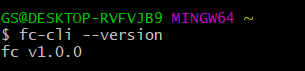
Open a terminal and confirm the CLI is installed.
fc-cli --version
Example output:
1.0.0
You can also see all available commands.
fc-cli --help
2️⃣ Step 2: Find Your Fetch Client Database
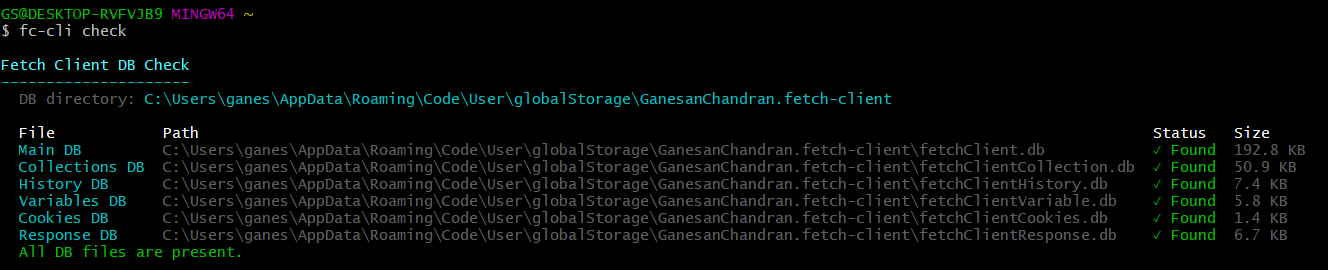
By default, Fetch Client stores its data locally. The CLI automatically uses the same database as the extension. Use below command to check if all required DB files exist.
fc-cli check
3️⃣ Step 3: List Your Collections
See the collections in your workspace.
fc-cli list --col
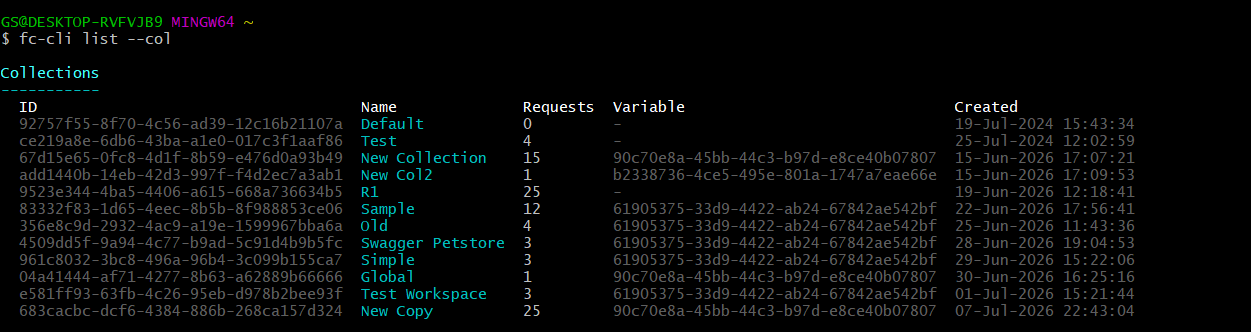
See the List command documentation for more details and the available list types.
4️⃣ Step 4: Run Your First Request
Run a request by name.
fc-cli run --req --id <req_id>
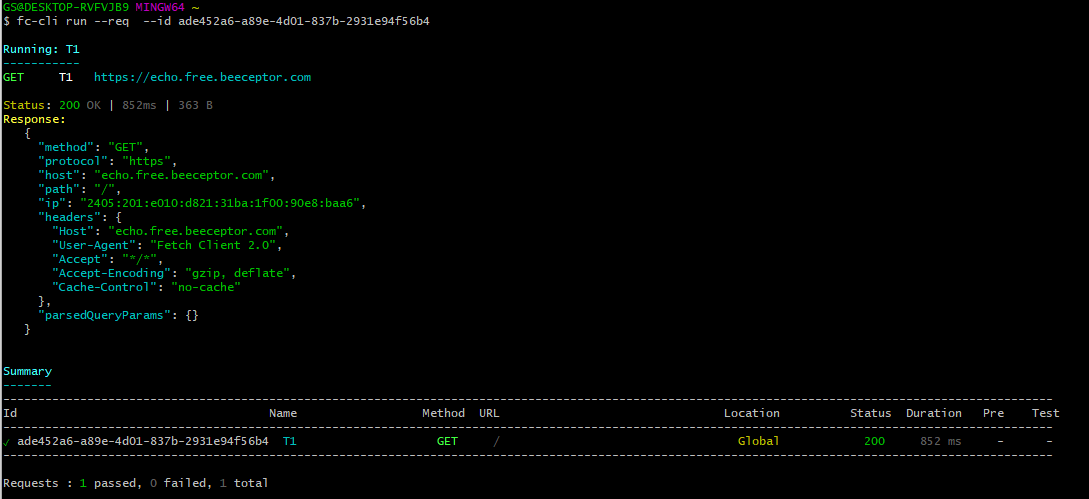
See the Run command documentation for more details and the available list types.
5️⃣ Step 5: Use Environment Variables
Run requests with a specific environment variable.
fc-cli run --req --id <req_id> --var-name <variable_name>
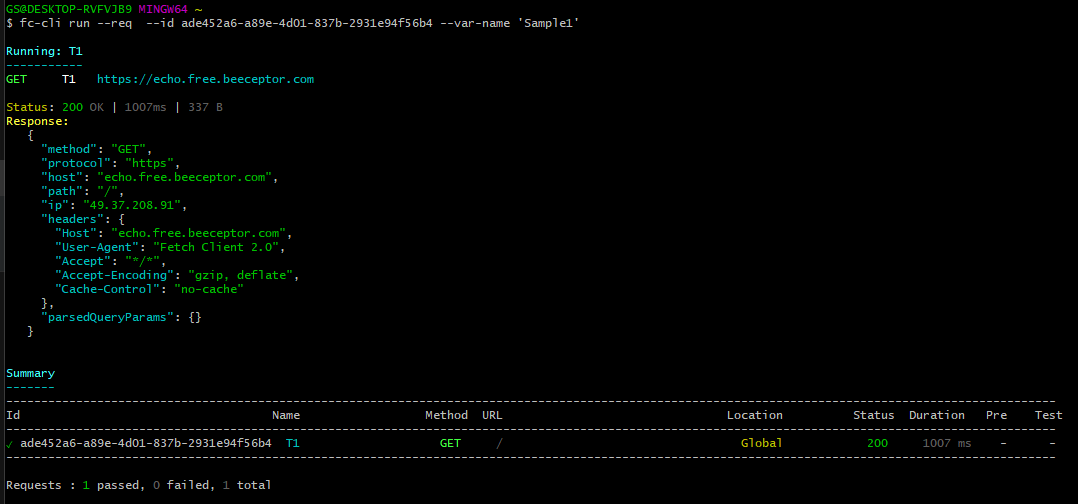
Note: If the collection or request being executed is linked to a variable, the CLI automatically applies that linked variable to every request in the run. Otherwise, it uses the variable specified in the command.
6️⃣ Step 6: Pre-Requests Run Automatically
If a request has Pre-Requests set up, Fetch Client CLI runs them first, before the main request.
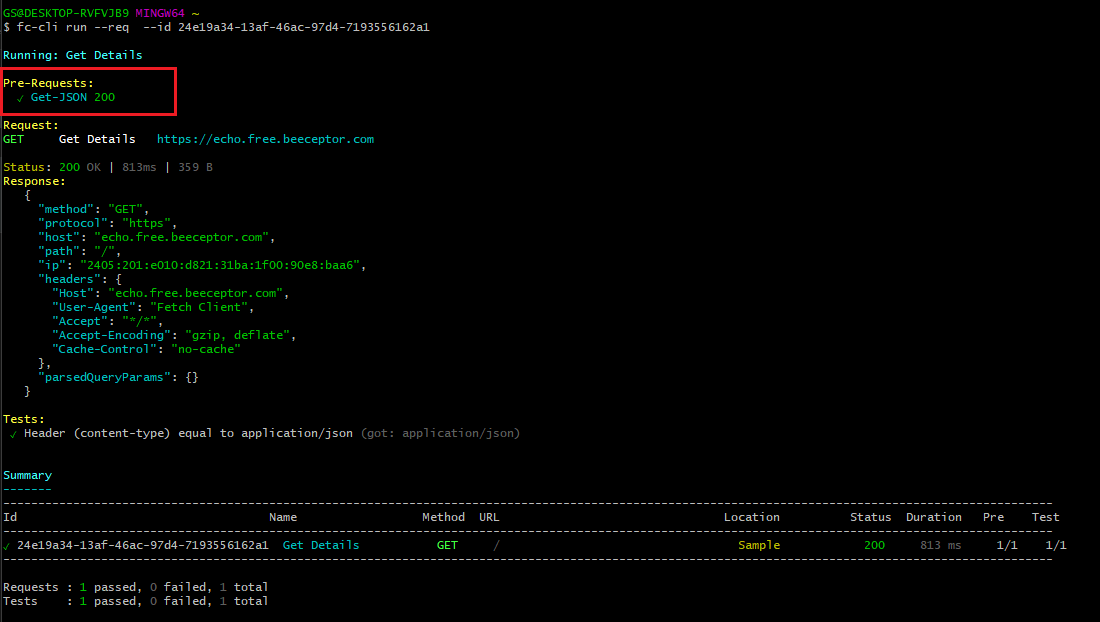
You don't need any extra CLI options for this.
Pre-Requests run based on how the request is configured in the Fetch Client extension.