Environment Variables
Environment variables help you manage dynamic values across your API requests. You can store API keys, base URLs, tokens, and other data that changes between different environments like development, staging, and production.
🎯 Variable Scopes
Fetch Client supports three levels of variables, giving you flexibility in how you organize your data:
- Global Variables - Available across all collections and requests in your workspace
- Collection Variables - Available only within a specific collection
- Request Variables - Available only for a single request
Use the {{variableName}} syntax to reference variables anywhere in your requests, including URLs, query parameters, headers, and request body.
🔐 Security Features
Your data is stored in encrypted form. To enable encryption, turn on the Encryption option in Fetch Client Settings. By default, Fetch Client uses a built-in encryption key. For stronger security, configure your own encryption key to protect your stored variables. You can manage encryption settings at any time from Fetch Client Settings.


📥 Importing Variables
You can import variables from JSON files in multiple formats:
- Open the Environment Variables tab in the sidebar
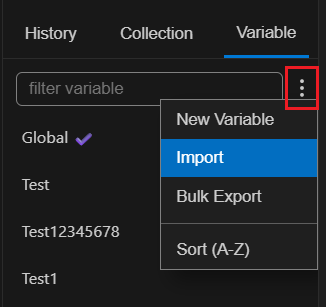
- Click the menu icon and select Import
- Choose your variable file
- Your variables are now ready to use in all requests
Supported formats:
- Fetch Client - Native format v1 and v2 (recommended)
- Postman - v2.1
- Thunder Client - v1.2
📤 Exporting Variables
Export your variables to JSON format (with or without encryption) for backup or sharing with your team. This makes it easy to move variables between workspaces or share configurations with team mates.
- Export single variable
- Bulk Export
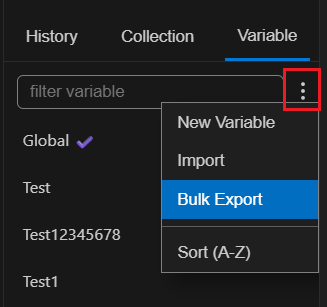
Bulk Export Menu
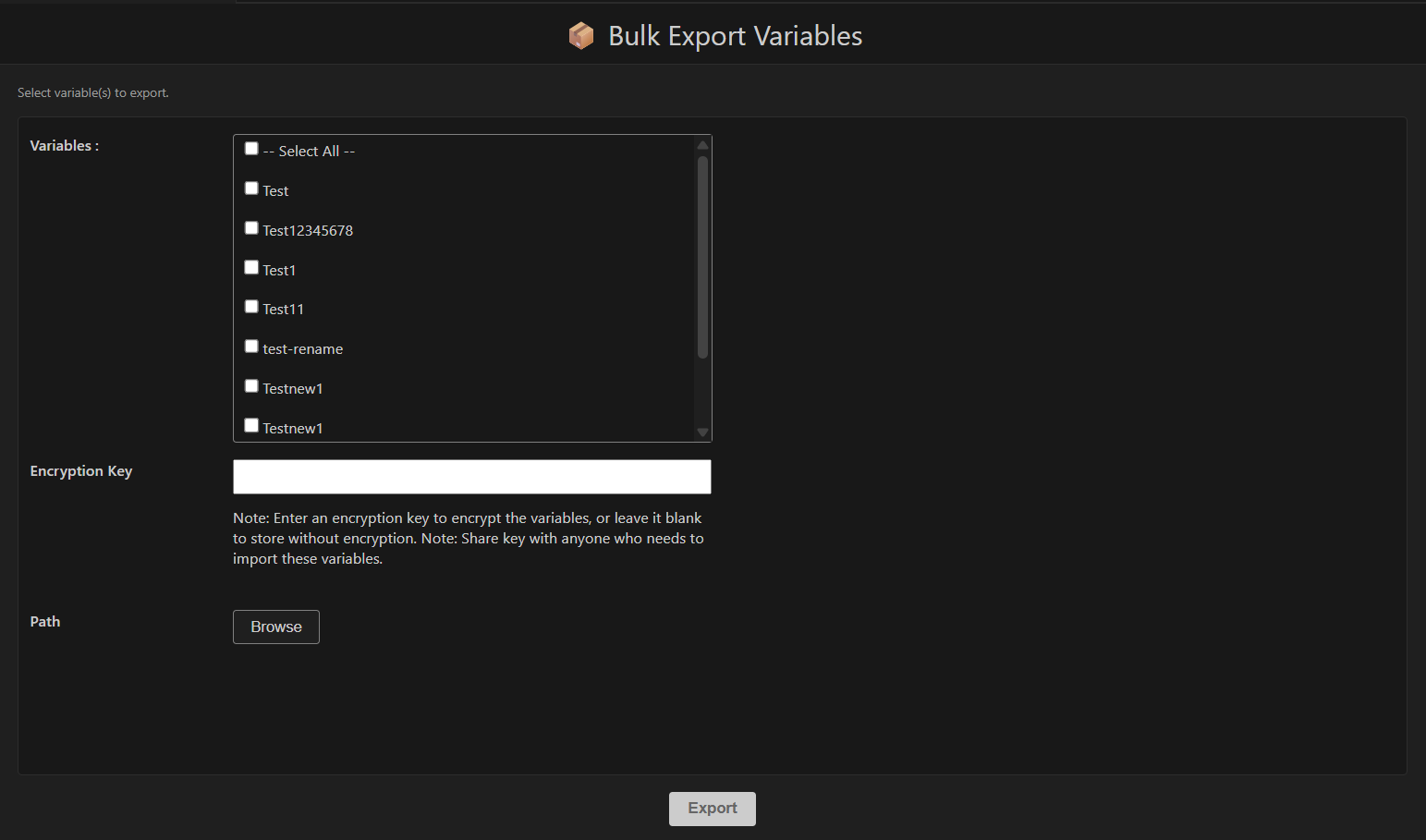
Bulk Export
♻️ Dynamic Variable Assignment
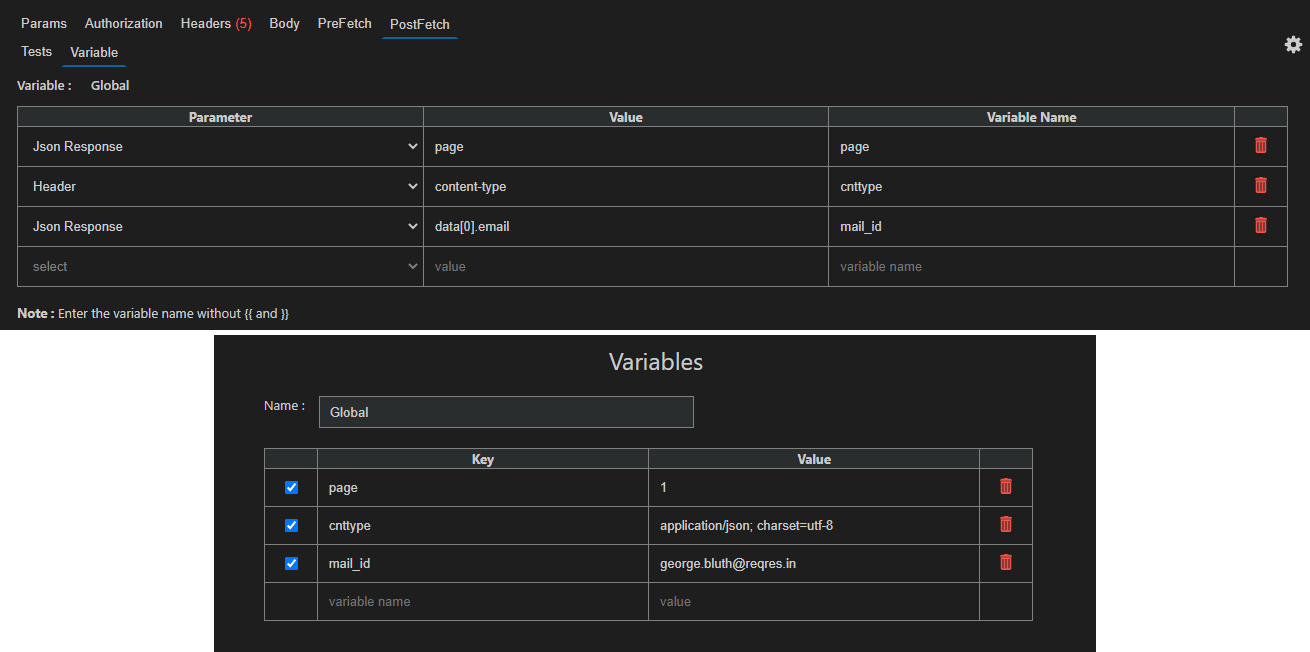
Extract data from API responses and automatically save them as variables for use in subsequent requests.
You can capture values from:
- Response body (JSON properties)
- Response headers
- Cookies
- Expression results
This feature is useful for workflows where you need to:
- Save authentication tokens from login responses
- Chain multiple API calls together
- Store dynamic IDs or values for testing
🧮 Expression Engine
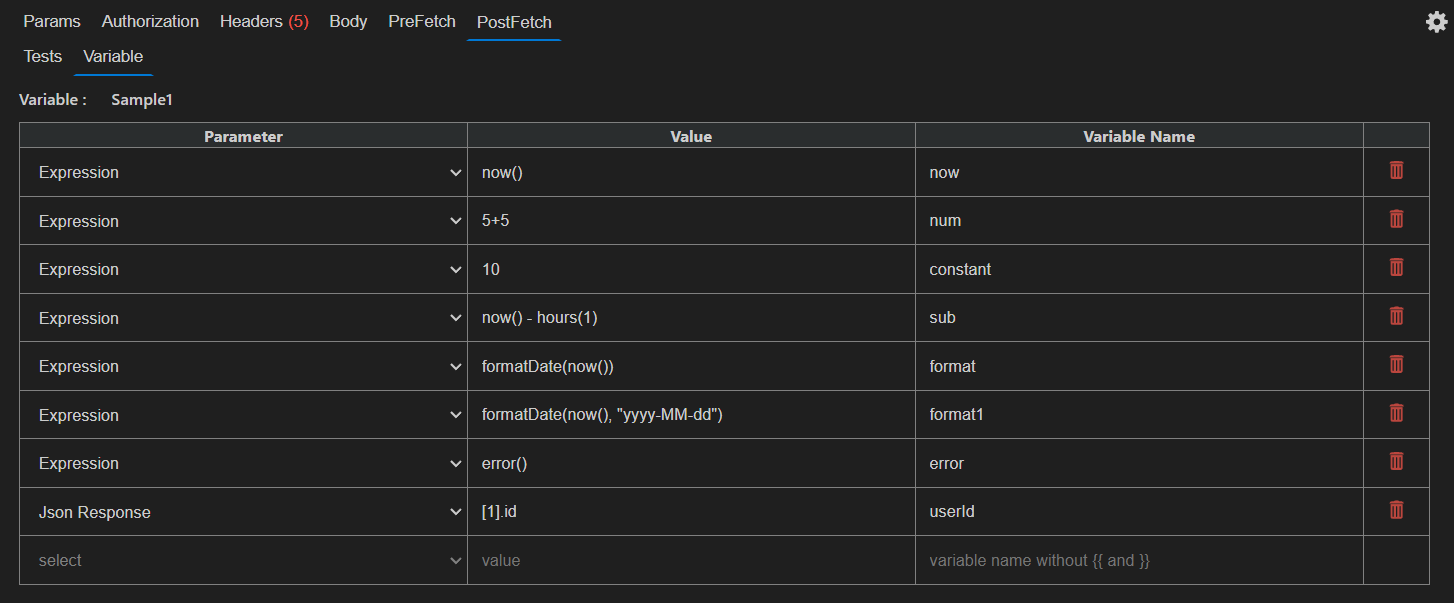
Fetch Client includes a built-in expression engine that lets you perform calculations, compare values, work with dates, and evaluate conditions.
💡 Variables
Variables can be referenced directly inside expressions.
tokenExpiry < now()
retryCount < 5
status == "ACTIVE"
🗂️ Supported Data Types
| Function | Description | Example |
|---|---|---|
now() | Current timestamp | now() |
date() | Current date/time | date() |
parseDate() | Convert string to timestamp | parseDate("2026-07-20") |
seconds() | Convert seconds to milliseconds | seconds(30) |
minutes() | Convert minutes to milliseconds | minutes(5) |
hours() | Convert hours to milliseconds | hours(2) |
days() | Convert days to milliseconds | days(7) |
addDays() | Add days | addDays(now(), 7) |
addHours() | Add hours | addHours(now(), 2) |
addMinutes() | Add minutes | addMinutes(now(), 30) |
formatDate() | Format date | formatDate(now(), "yyyy-MM-dd") |
contains() | Contains text | contains(name, "John") |
matches() | Regex match | matches(email, ".*@gmail.com") |
exists() | Value exists | exists(token) |
empty() | Value is empty | empty(token) |
between() | Value within range | between(age, 18, 60) |