Testing
📋 Overview
Fetch Client lets you test your API responses without writing code. You can create tests using a visual editor and see results immediately.
🧪 Create Tests
You can test different parts of your API response to make sure it works correctly.
What You Can Test
Fetch Client allows you to verify the following response properties:
- Status Code - Check if the API returns the correct HTTP status (like 200 for success or 404 for not found)
- Response Body - Verify the content returned by the API
- Response Time - Measure how fast the API responds
- Headers - Test specific header values:
- Content-Type (the format of the response)
- Content-Length (the size of the response)
- Content-Encoding (how the response is compressed)
- Any custom headers
- JSON Properties - Check specific values in JSON responses
How to Create Tests
Use the visual test editor to create tests without coding. Simply select what you want to test and set your expected values.

Visual test case editor
📊 View Test Results
After you run your tests, Fetch Client shows you clear results so you can quickly see what passed and what failed.
Understanding Results
- Pass/Fail Status - Each test shows a clear pass or fail indicator
- Expected vs. Actual - See what you expected compared to what the API actually returned
- Export Options - Save your test results as a JSON file for your records
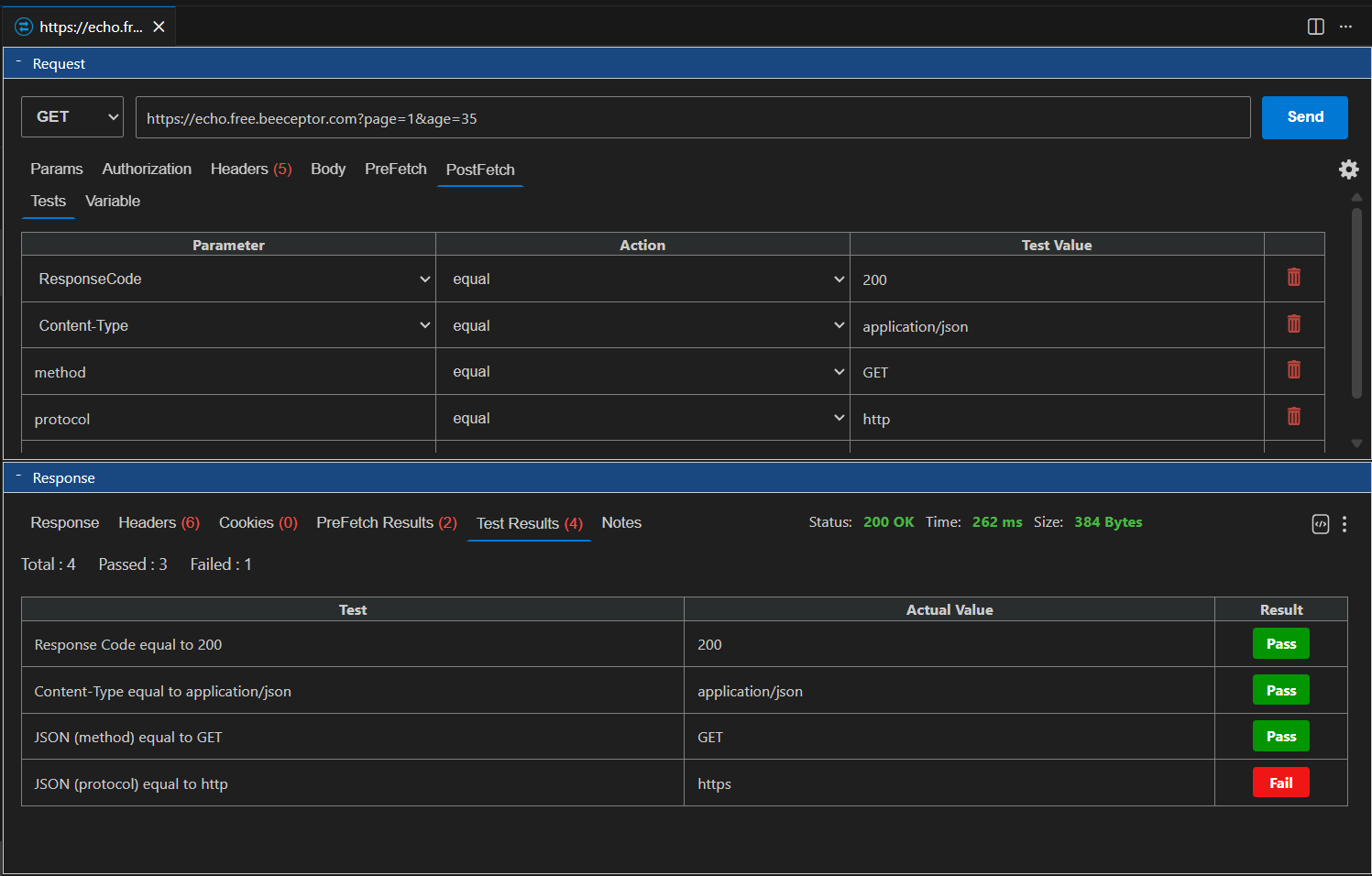
Visual test results
⭐ Benefits
- No coding required - anyone can create tests
- Instant feedback - see results right away
- Easy to understand - clear pass/fail indicators
- Save and share - export results for documentation