UI Customization
Fetch Client offers flexible layout options to help you work more efficiently. Choose the view that best suits your screen size and workflow preferences.
🎨 Layout Modes
Fetch Client provides two main layout modes with different view options.
📐 Horizontal Mode
Horizontal mode displays content from top to bottom across your screen. This mode offers two view options:
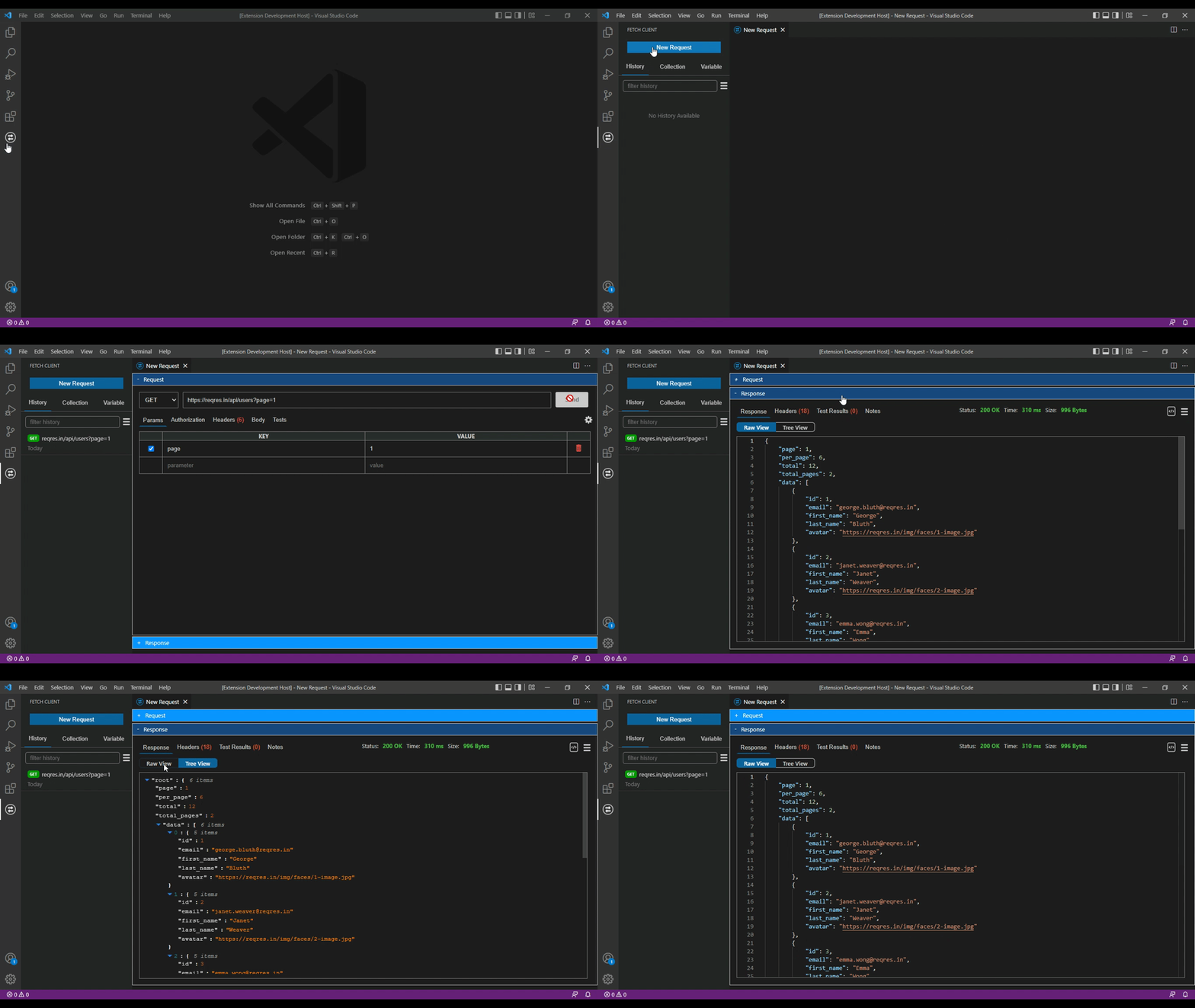
Accordion View
The Accordion View stacks sections vertically. Click on each section to expand or collapse it, keeping your workspace organized and focused.
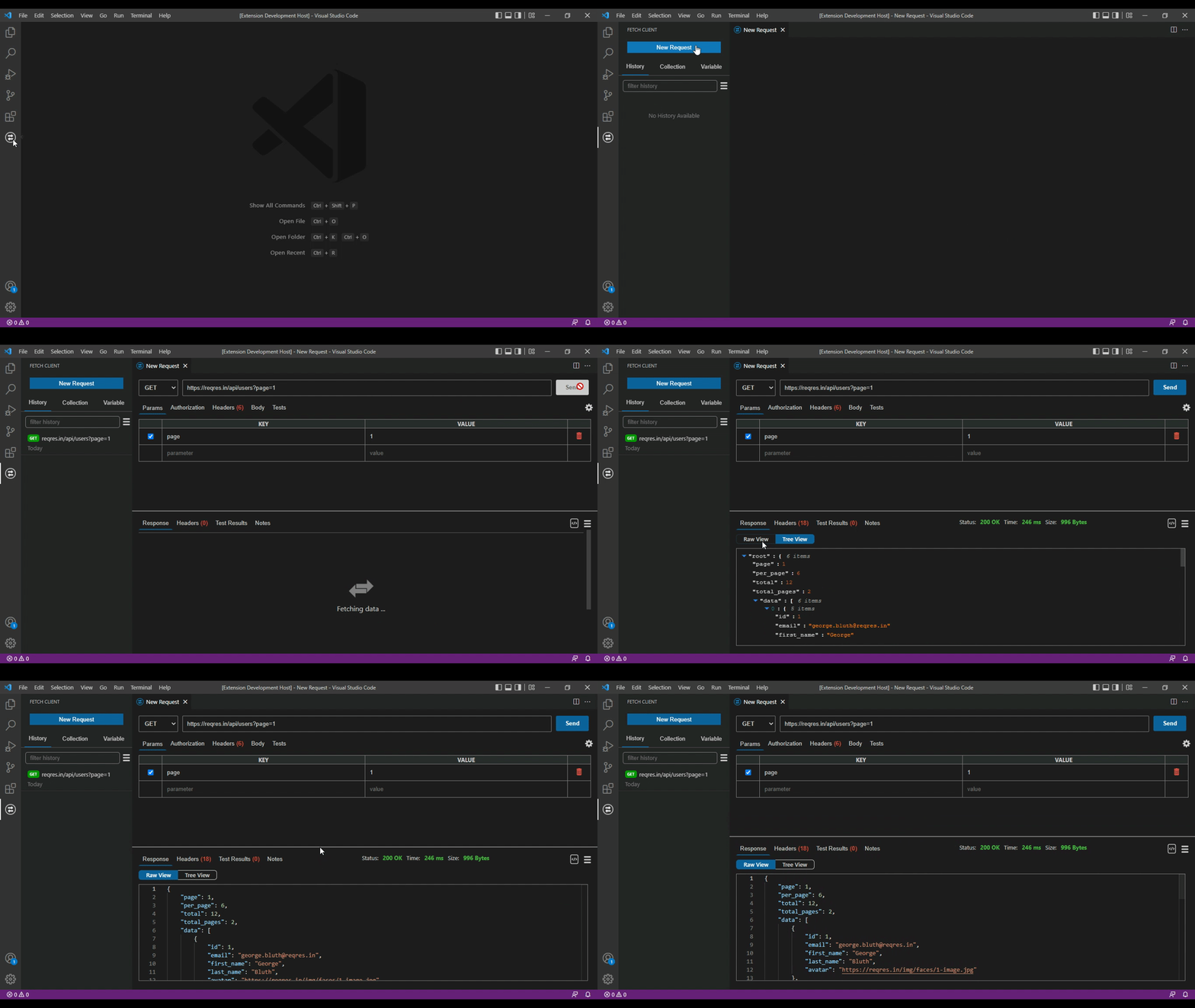
Split View
In Horizontal Split View, panels are stacked vertically. This layout works well when you have limited vertical space.
📏 Vertical Mode
Vertical mode arranges content from left to right, making it ideal for narrower screens or when working with split editor windows.
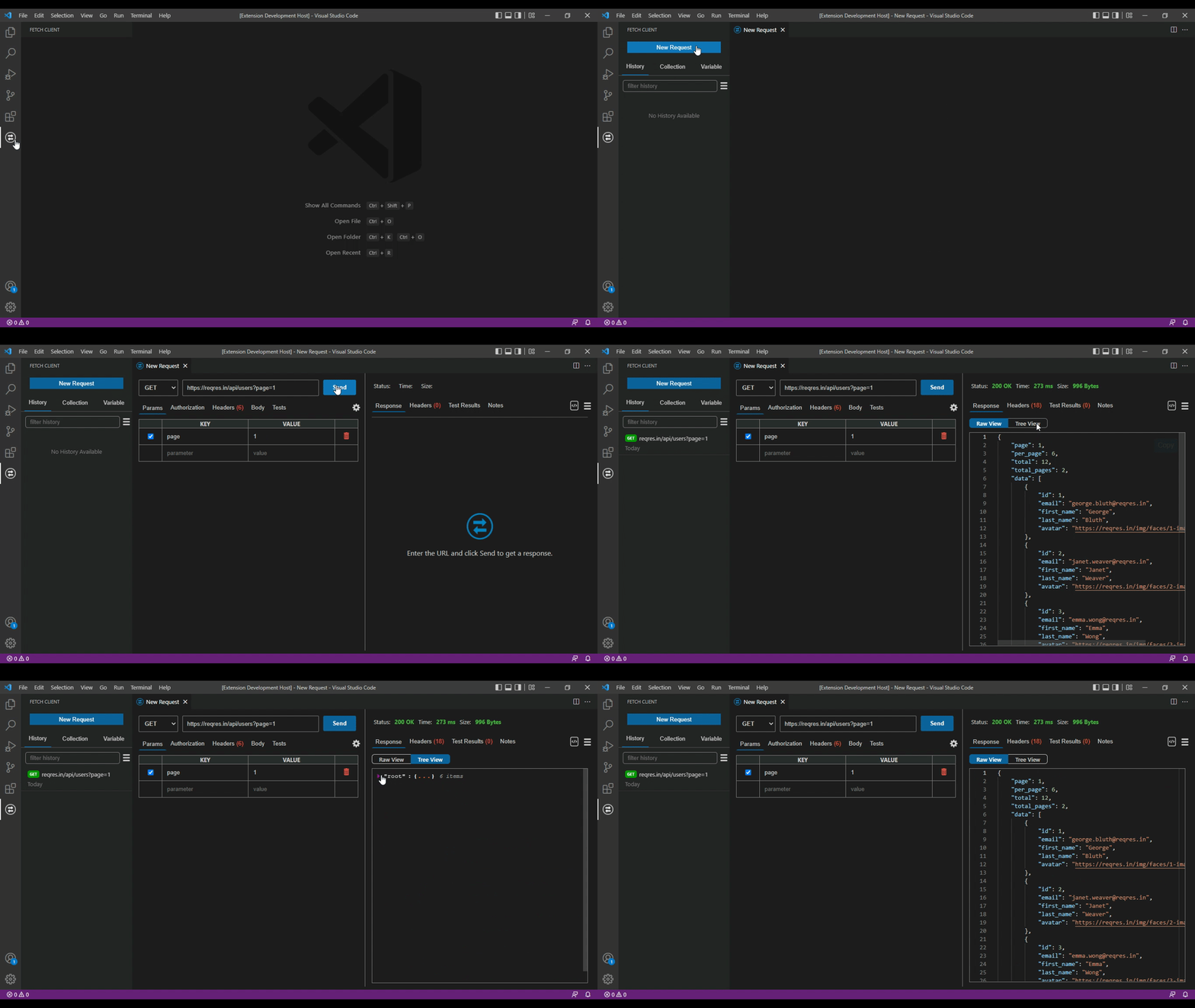
Vertical Mode - Split View
The Split View displays panels side by side. This layout lets you see request and response information at the same time without scrolling.
💡 Choosing the Right Layout
- Use Horizontal Accordion when you want to focus on one section at a time
- Use Horizontal Split when working with narrow editor windows or vertical monitors
- Use Vertical Split when you have a wide screen and want to see everything at once