cURL
The cURL feature allows you to import and run cURL commands directly in Fetch Client. This makes it easy to test APIs using existing cURL commands without having to recreate requests manually.
🔄 Import cURL Commands
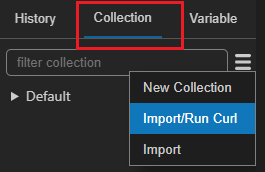
You can convert any cURL command into a Fetch Client request. This is helpful when you have cURL commands from API documentation or examples and want to use them in Fetch Client.
How to import:
- Click on the "Import cURL" option in the menu
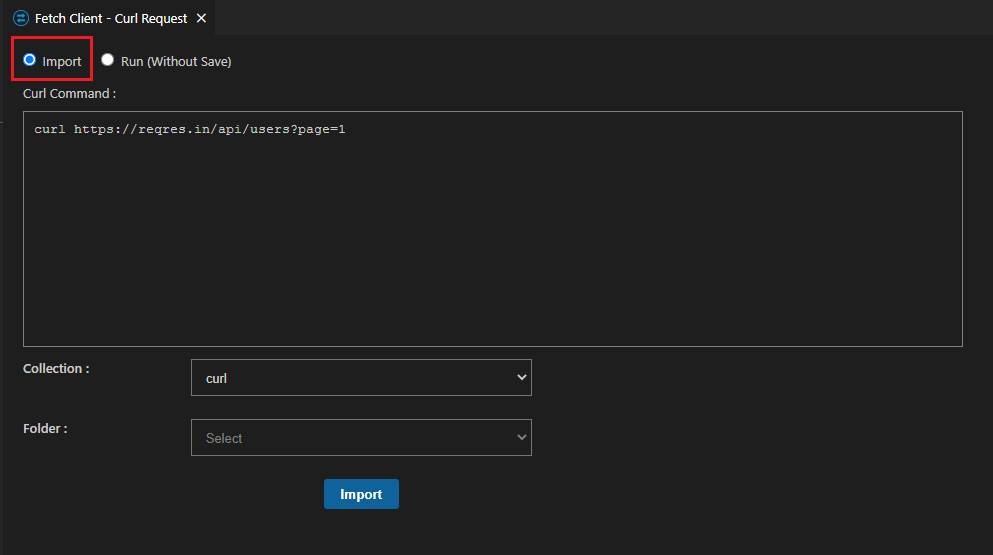
- Paste your cURL command
- Fetch Client will automatically convert it to a request
The import feature supports standard cURL syntax, including headers, request methods, and data parameters.
⚡ Execute cURL Commands
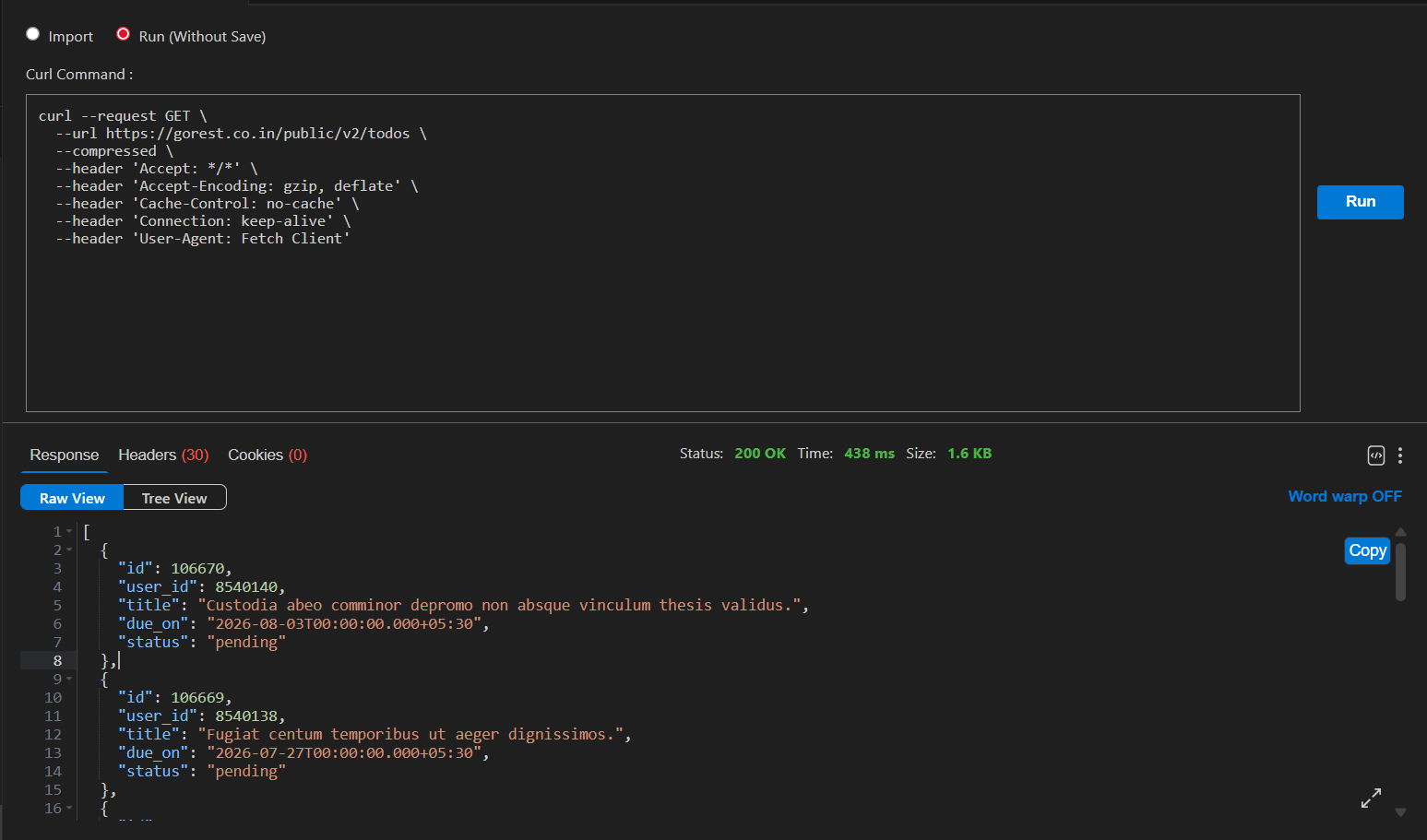
You can also run cURL commands directly without converting them to Fetch Client format. This is useful when you want to quickly test a cURL command as-is.
How to execute:
- Paste your cURL command in the input area
- Click the "Run" button
- View the response immediately
This direct execution option saves time when you need to test cURL commands quickly.
✅ Supported Features
The cURL feature works with:
- All HTTP methods (GET, POST, PUT, DELETE, etc.)
- Custom headers
- Request body data
- Query parameters
- Authentication options
- Standard cURL flags and options