System Variables
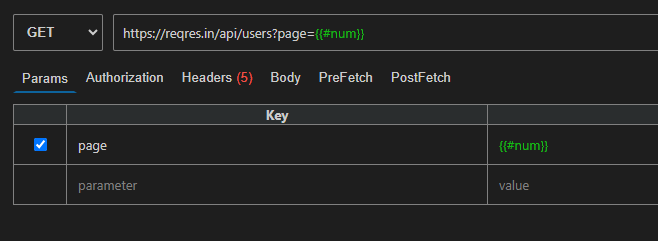
System variables help you create dynamic test data automatically. You can use them inside your API requests to generate random values every time.
This is useful when you:
- Test APIs with different inputs
- Avoid duplicate data
- Save time from manual typing
🧪 Available Variables
| Variable | Example Output | Description |
|---|---|---|
{{#num}} | 542891 | Generates a random number between 1 and 999999 |
{{#num, min, max}} | 75 | Generates a random number within a custom range |
{{#str}} | AbcXyzDef | Generates a random alphabet string |
{{#strspl}} | Abc@#$Xyz | Generates a string with special characters |
{{#strnum}} | Abc123Xyz | Generates a string with letters and numbers |
{{#char}} | A | Generates a single random character |
{{#rdate}} | 05/15/1956 | Generates a random date |
{{#date}} | 12/09/2024 | Returns today's date |
{{#dateISO}} | 2024-12-09T10:30:00Z | Returns date in ISO format |
{{#date, 'format'}} | 09-Dec-2024 | Returns date in custom format |
{{#email}} | <abc123@example.com> | Generates a random email address |
{{#guid}} | 550e8400-e29b-41d4-a716-446655440000 | Generates a UUID |
{{#bool}} | true | Generates a random true/false value |
💡 Example Usage
Use system variables directly in your request body:
{
  "id": "{{#guid}}",
  "name": "{{#str}}",
  "age": {{#num, 18, 60}},
  "email": "{{#email}}",
  "createdDate": "{{#dateISO}}",
  "isActive": {{#bool}}
}
Each request will generate fresh values automatically.