Run All Requests
The Run All feature allows you to execute multiple API requests in a collection with a single click. This is perfect for testing entire workflows or running comprehensive test suites.
🚀 Key Features
-
Batch Execution - Execute all requests in a collection at once, saving time and effort when testing multiple endpoints.
-
Execution Modes - Choose between sequential execution (one request after another) or parallel execution (multiple requests simultaneously) based on your testing needs.
-
Custom Order - Arrange the execution sequence of requests to match your workflow requirements.
-
Results Export - Download execution results in JSON or CSV format for analysis and reporting.
-
Request Inspection - Click on any result to view complete request and response details.
📋 How to Use
- Open a collection in Fetch Client
- Click the "Run -> Run All" button in the collection menu
- Configure your execution settings (sequential or parallel)
- Click "Run" to start the batch execution
- Review the results and export if needed
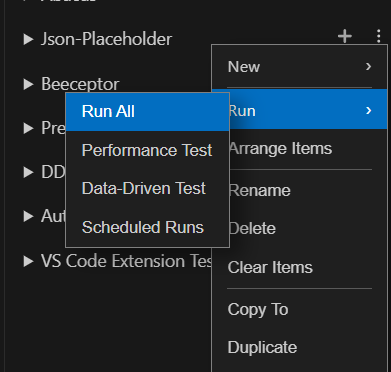
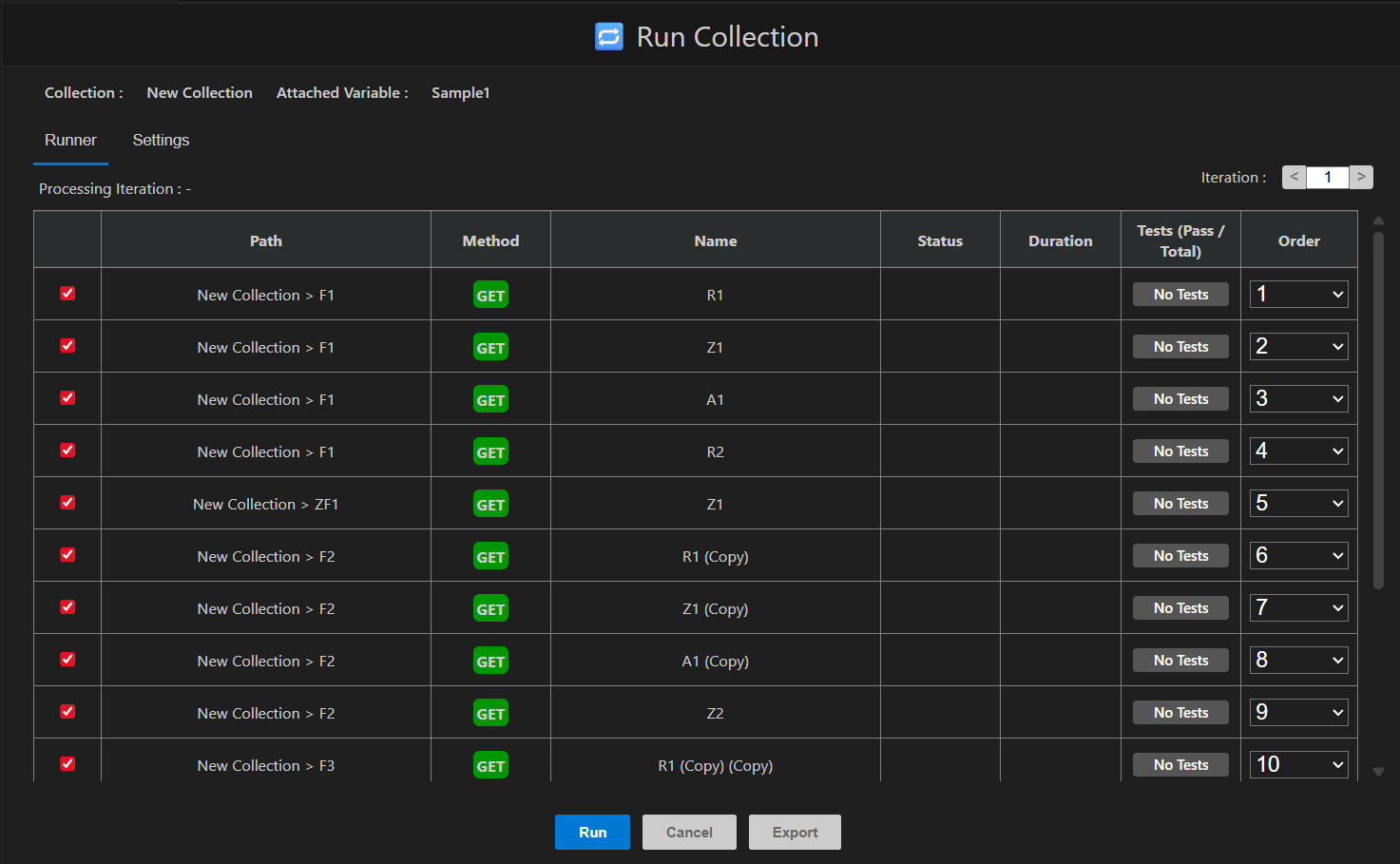
Run All Requests
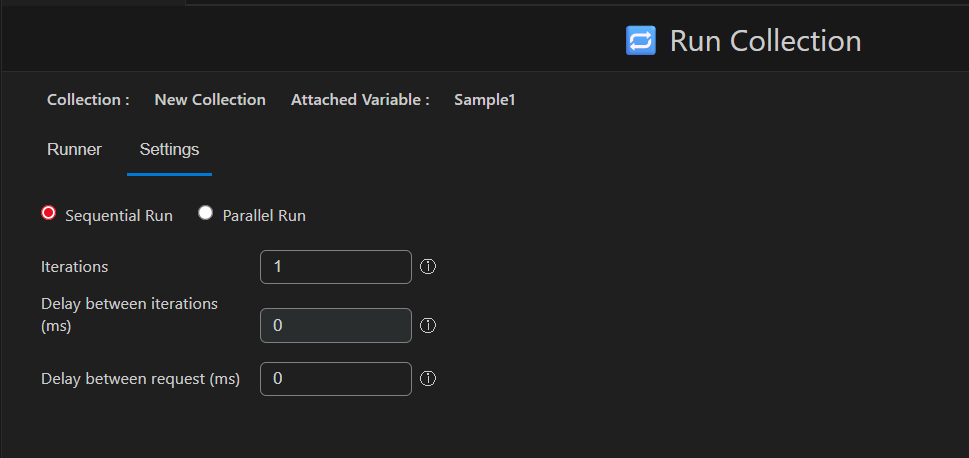
Run All Settings
📤 Exporting results
Once the requests are finished (or cancelled), an Export button appears with several format options:
- JSON
- CSV
- HTML
- XML
- NUnit
💡 Use Cases
- API Testing: Test all endpoints in your API at once
- Regression Testing: Verify that existing functionality still works after changes
- Performance Testing: Run multiple requests to check API response times
- Documentation: Generate reports showing actual API responses