Mock Server
Spin up a lightweight local HTTP server, right from the extension, that returns pre-defined responses for any route. Useful for prototyping against an API that doesn't exist yet, developing against a flaky or rate-limited backend, or reproducing a specific edge case (an error, a slow response, a conditional payload) on demand - without touching a real server.
📂 Opening the Mock Server panel
Open New Mock Server to create one, or reopen an existing mock server to edit or run it - if a panel for that server is already open, it's brought to the front instead of opening a duplicate.
🖥️ Panel layout
The header holds the server's identity and controls:
| Field / Control | Notes |
|---|---|
| Name | Display name for the server |
| Port | Must be between 1024 and 9999 - validated as you type, and again before Start/Save |
| Description | Optional, free text |
| ▶ Start / ■ Stop | Toggles the server. Starting a server also saves it. |
| ⚡ Generate | Opens the route-generation modal (from a Collection or an OpenAPI spec) |
| Save | Persists changes; enabled only when there's something unsaved |
| Delete | Stops the server (if running) and removes it, after a confirmation prompt |
| Status bar | A coloured dot plus a label: Running on http://localhost:<port>, Stopped, or Error: <message> |
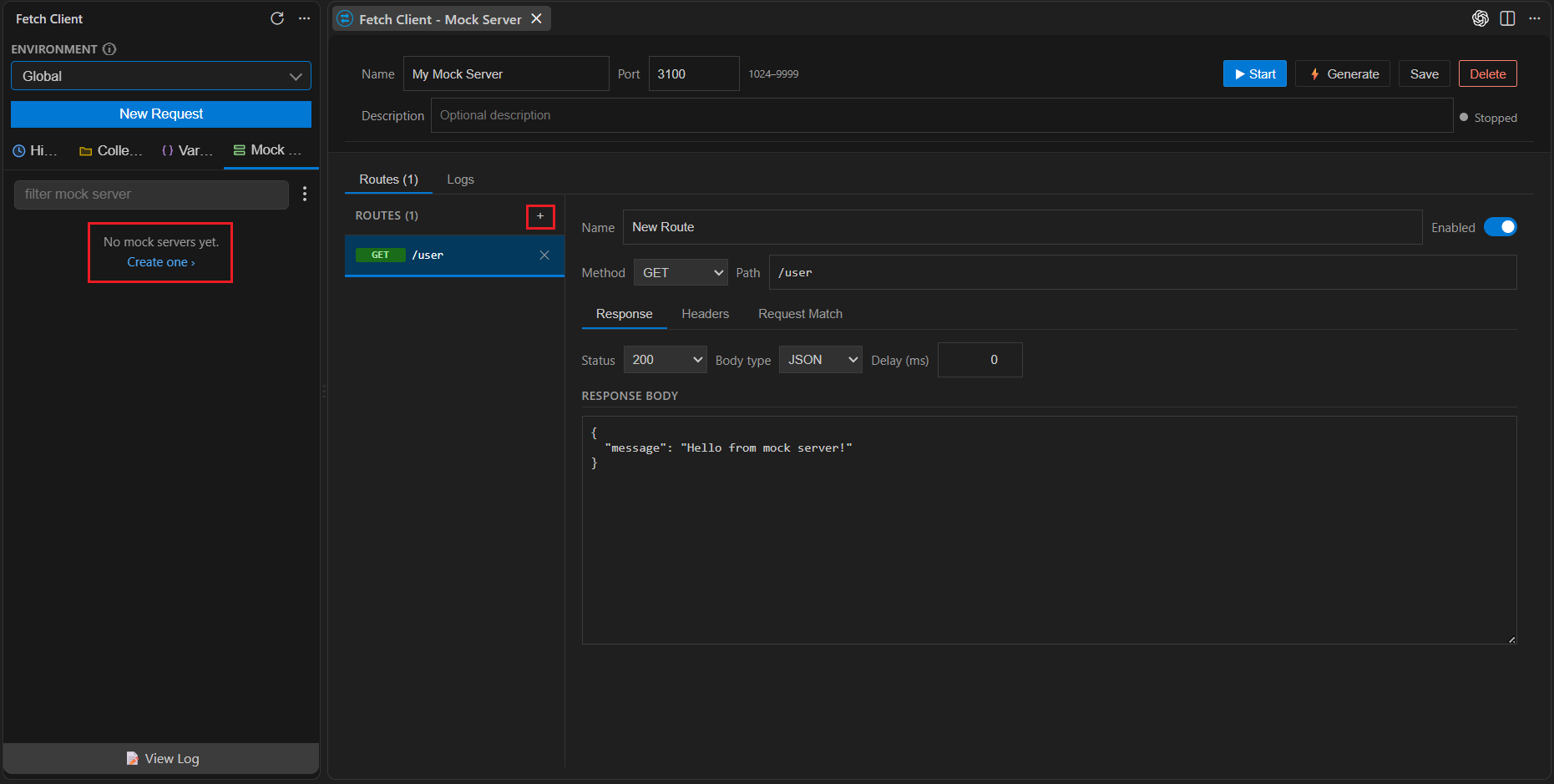
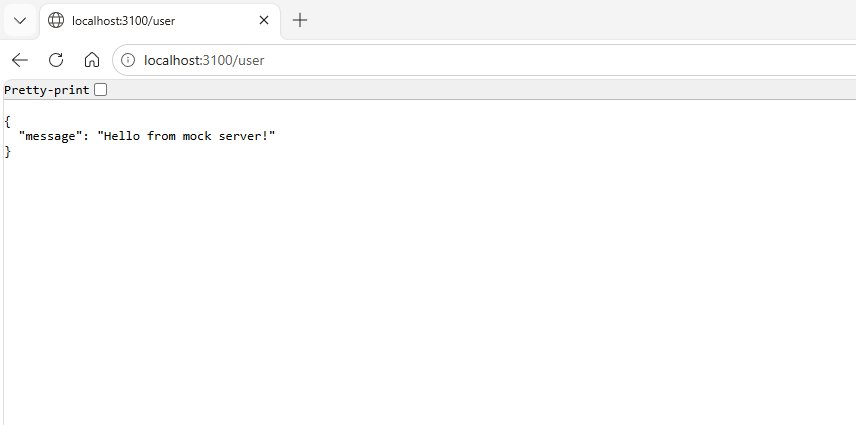
While the server is running, Name, Port, Description, adding/deleting routes, Save, Delete, and Generate are all disabled - stop the server to change its configuration.
Changes to the mock server may take a few seconds to appear. Please wait briefly before refreshing or testing.
Below the header are two tabs: Routes and Logs.
🧭 Routes tab
A split view: the route list on the left, the selected route's editor on the right.
- Route list - shows every route's method badge and path. Click + to add a route (starts as
GET /with a default200 JSONbody); click a route to edit it; click ✕ to delete it. Add/delete are disabled while the server is running. - Route editor - Name, an Enabled toggle (disabled routes are skipped entirely and won't match any request), a Method dropdown (
GET,POST,PUT,PATCH,DELETE,OPTIONS,HEAD, or*/ANY), and a Path (Express-style, e.g./users/:id). Three sub-tabs configure the rest:
Response tab
| Setting | Options |
|---|---|
| Status code | 200 201 202 204 400 401 403 404 409 422 429 500 502 503 |
| Body type | JSON, Text, XML, HTML, None |
| Delay (ms) | 0-30000, in steps of 50 - simulates network/processing latency before the response is sent |
| Response Body | A raw text editor for the body (hidden entirely when Body type is None) |
Headers tab
A key/value table of extra response headers, with + Add / ✕ to manage rows. These are layered on top of three headers every mock response gets by default:
Content-Type- inferred from the route's body type (application/json,application/xml,text/html, ortext/plain)Access-Control-Allow-Origin: *- so mocks work from browser-based clients without extra CORS setupX-Mock-Server: Fetch-Client- a marker header so you can identify mock responses in network traces
If you set a header with the same key (e.g. a custom Content-Type), your value takes precedence over the default.
Request Match tab
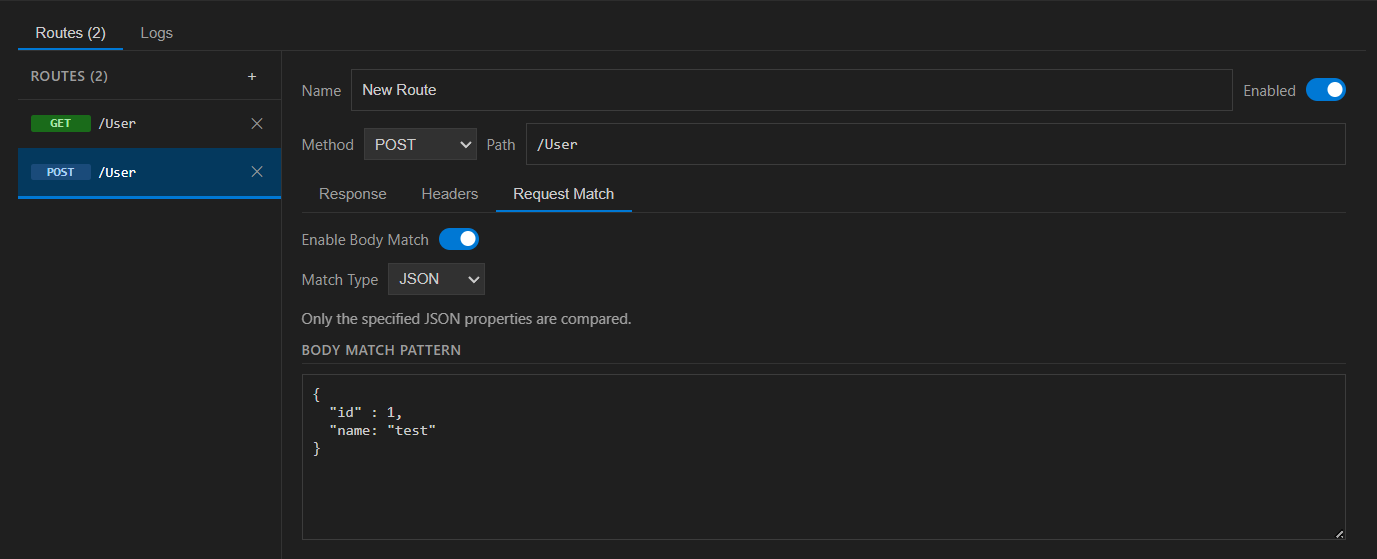
Lets a route only fire for requests whose body matches a pattern - useful for returning different responses from the same method + path depending on payload (e.g. a "duplicate email" error vs. a success response from the same POST /users).
| Match type | Behaviour |
|---|---|
| None | Matcher disabled - route always matches (default) |
| Exact | The entire incoming request body must equal the pattern exactly |
| Contains | The incoming request body must contain the pattern as a substring |
| JSON | The pattern is parsed as JSON and deep-compared against the incoming body - only the properties present in the pattern need to match; extra fields on the incoming body are ignored, and arrays are compared element-by-element |
When several routes share the same method and path, the server checks routes with an enabled, matching body matcher first;
if none match, it falls back to the first route on that method + path with no body matcher configured. If nothing matches at all, the server returns a 404 with {"error": "No matching mock route found."}.
📊 Logs tab
A live table of every request the running server has received: Time, Method, Path, Status, Duration, and Match (✓ if a configured route handled it, ✗ if it fell through to the 404 default).
New entries stream in and the view auto-scrolls to the latest. Clear empties the log immediately (also on the server side).
The log keeps the most recent 200 entries - older ones are dropped automatically, and the log resets each time the server is (re)started.
⚡ Generating routes
Instead of building routes by hand, generate a starting set from an existing source:
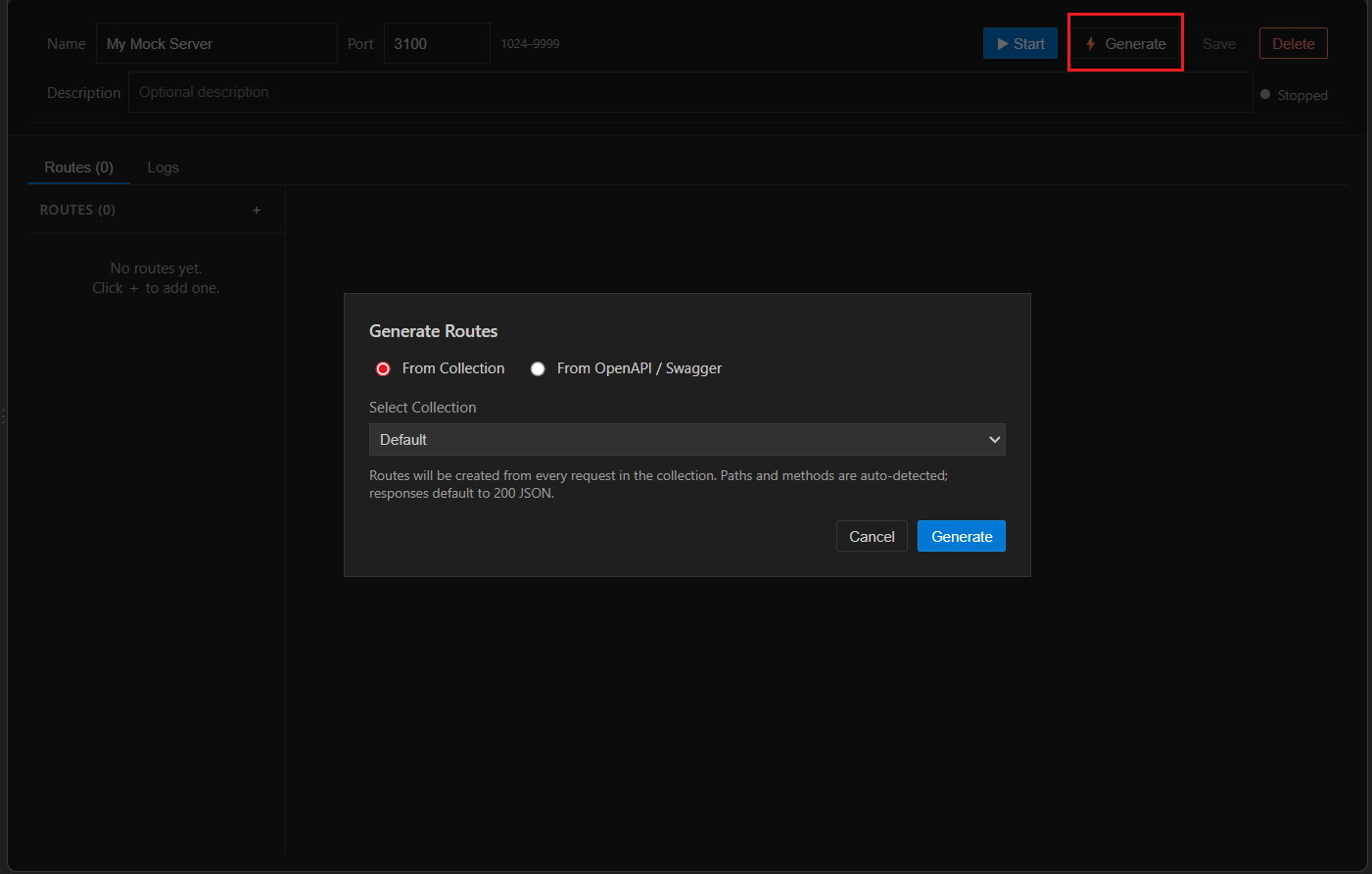
From Collection
Pick any collection from your workspace. A route is created for every request in it (folders are traversed recursively): method and path are inferred from the request's URL, each defaults to a 200 response with body {"message": "Mock response"} and a Content-Type: application/json header. Routes that would duplicate an existing method + path (in the collection or already on the server) are skipped.
From OpenAPI / Swagger
Point at a local file path containing an OpenAPI v3 document, in JSON or YAML. For every path and operation:
- Name - the operation's
operationId, falling back to itssummary, falling back toMETHOD /path - Path - OpenAPI
{param}placeholders are converted to Express-style:param - Status code - the first defined success response among
200,201,202,204; otherwise the first2xxresponse defined; otherwise200 - Content-Type / body type - taken from the response's declared content, preferring
application/json>application/xml>text/plain>text/html, otherwise whatever's declared - Response body - the first named
example, then an inlineexample, then a body synthesized from the responseschema(respectsexample,default,enum,constwhere present; fills objects/arrays/strings/numbers/booleans recursively up to 4 levels deep;date-timestrings default to the current timestamp), or{}if none of the above is available
As with collection-based generation, routes that would duplicate an existing method + path are skipped rather than overwriting what's already there.
🔒 Limitations
- Maximum 5 concurrent running mock servers at a time.
- Ports must be in the 1024-9999 range.
- Servers bind to 127.0.0.1 only - they're reachable from your machine, not the network.
- Incoming request bodies over 1 MB cause the connection to be dropped rather than processed.
- OpenAPI import supports v3 only (JSON or YAML) - Swagger 2.0 documents aren't parsed.
- Request logs are in-memory only - they aren't persisted, and are cleared automatically whenever the server starts.
- Server configuration (name, port, description, routes) can't be edited while the server is running - stop it first.